Virtual Datasets
In this section you can add, configure, and administrate Functions, Models, Code-Files and Value Lists, grouping them within Categories. Since the configuration of these objects can be highly specific, such as Functions tailored for a particular Source System, this section provides a general overview. Detailed information on specific types of source systems can be found in the Query Handlers section.
Workspace Management
In general, Virtual Datasets are structured in Workspaces. There are private Workspaces, denoted by 'My Workspace', 'Global Workspaces' where Virtual Datasets are available globally for all users and an 'Unfiltered View':
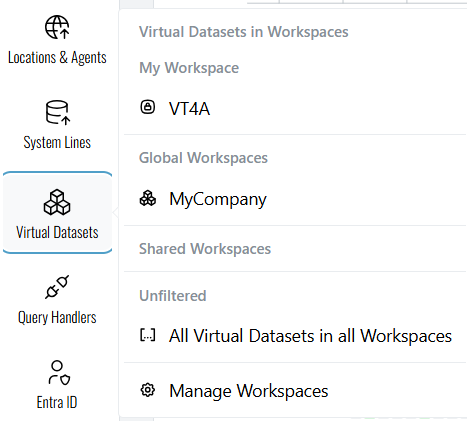
Workspaces can be managed by clicking on 'Manage Workspaces'. This section provides an overview of existing Workspaces, allowing users to create new ones and delete old ones. Additionally, both single users and user groups can be added to specific Workspaces.
Key Features
- Overview: View a comprehensive list of all existing Workspaces.
- Create: Initiate the creation of new Workspaces to organize your Virtual Datasets.
- Delete: Remove outdated or unnecessary Workspaces. Therefore the specific Workspace has to be selected
- User Management: Add individual users or user groups to specific Workspaces to manage access rights.
Only VDP Admins are authorized to manage Workspaces. If you do not have admin privileges and wish to create a new Workspace, please contact your VDP Admin for assistance.
Create a new Virtual Dataset
By clicking on 'Create a new Virtual Dataset', a new window pops up which guides you through the process of creating a new Virtual Dataset. It starts with selecting the type of the Virtual Dataset.
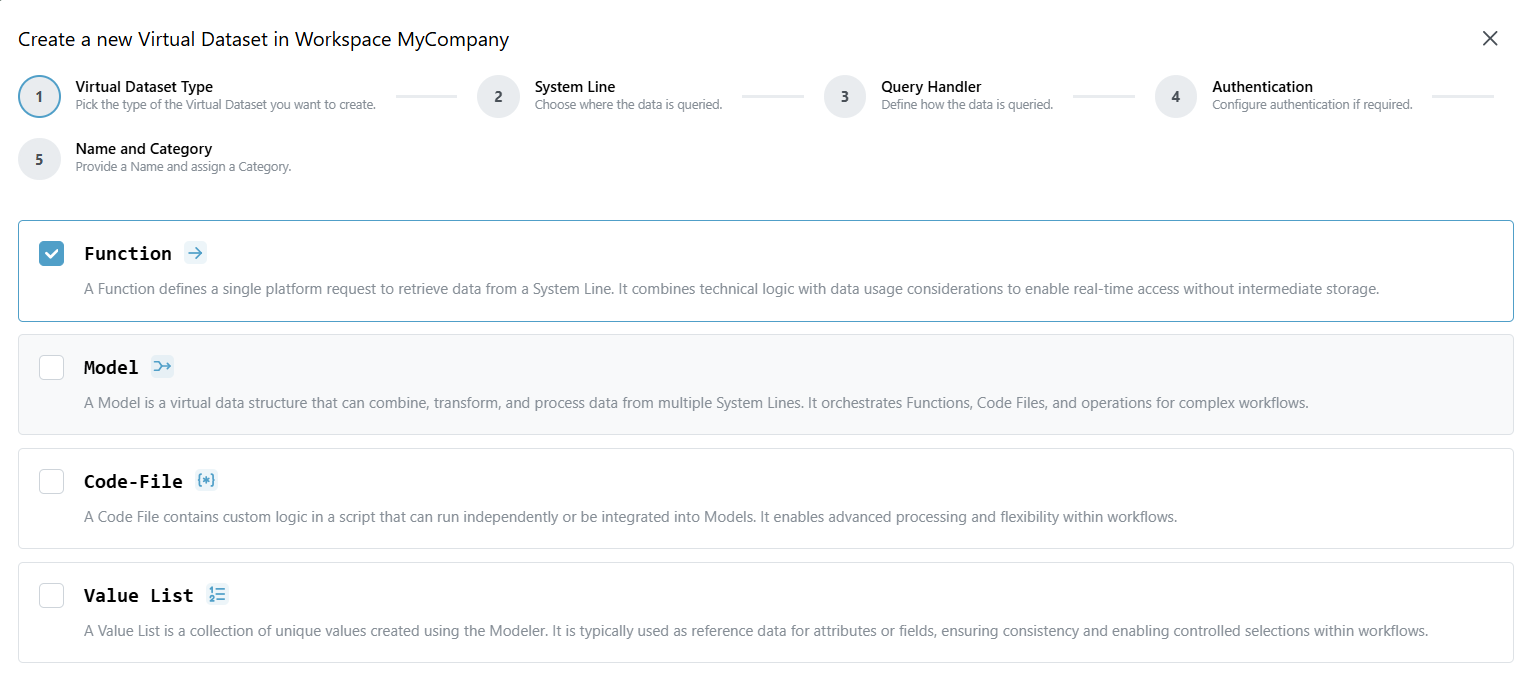
Depending on the type of Virtual Dataset, different configurations and functionalities are available. Since the Portal is designed to be self-explanatory, users are referred directly to it, where detailed information is provided.
New categories can only be created within this workflow. If a Virtual Dataset needs to be instantiated under a new category rather than assigned to an existing one, a new category can be created as part of this process.